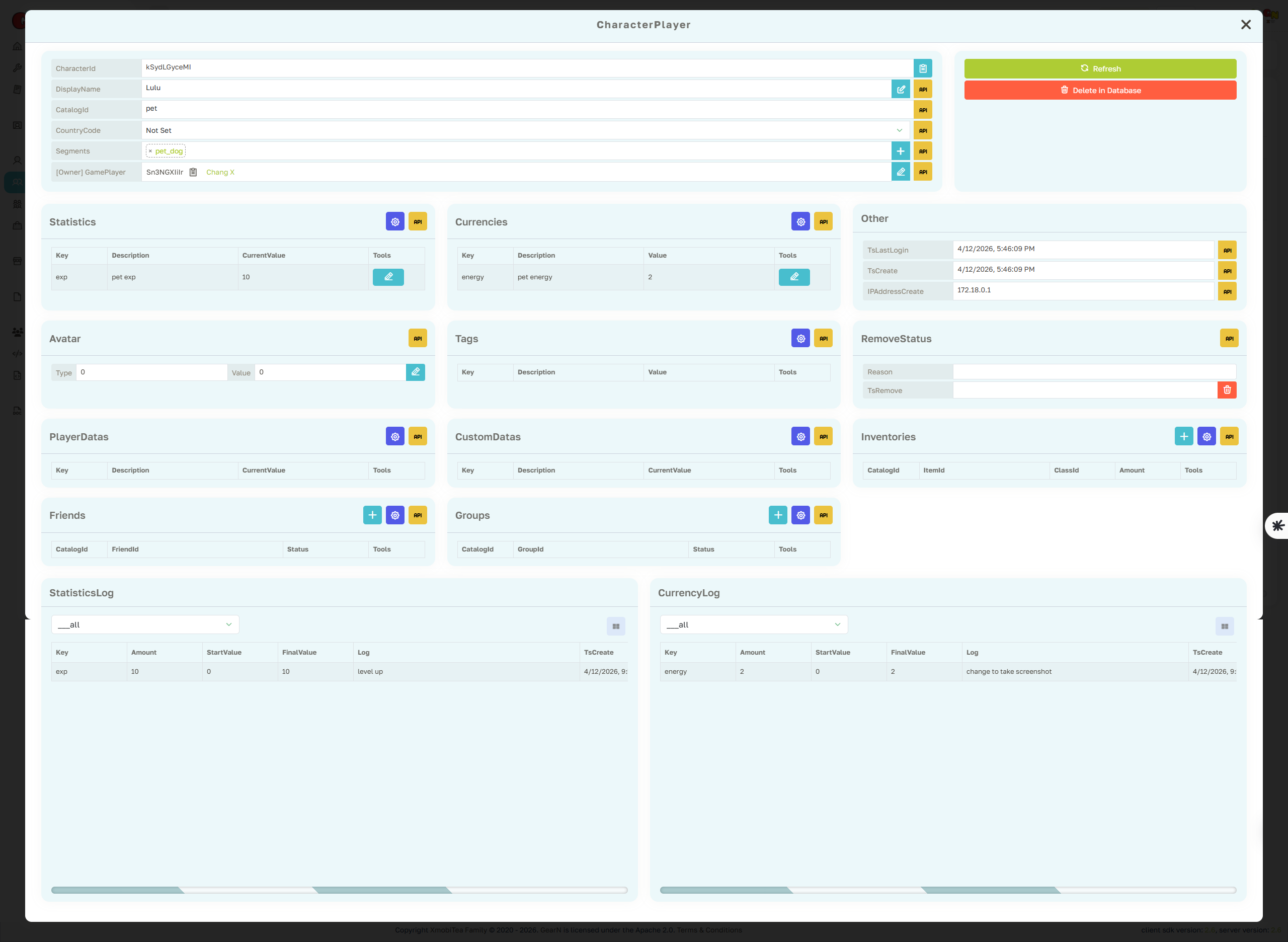
Character Player Profile Page
The Character Player profile page is the main support view for one character inside the selected game. It focuses on characterId-scoped metadata, owner information, catalog identity, currencies, statistics, tags, segments, inventory links, group links, friends, and audit logs.
- Character identity: Review CharacterId, CatalogId, DisplayName, Owner, CountryCode, create time, last login time, ban state, and remove status.
- Character data: Inspect and update Statistics, Currencies, PlayerData, CustomData, Avatar, Tags, and Segments for this character.
- Relations: Check linked inventory items, groups, and character-level friends before acting on player reports.
- Audit: Use Statistics Log and Currency Log to verify the source of manual edits, gameplay changes, and CloudScript updates.
Character Player actions target a specific characterId. Confirm the selected game, owner, catalogId, and characterId before editing balances, statistics, owner, tags, segments, ban state, or remove status.