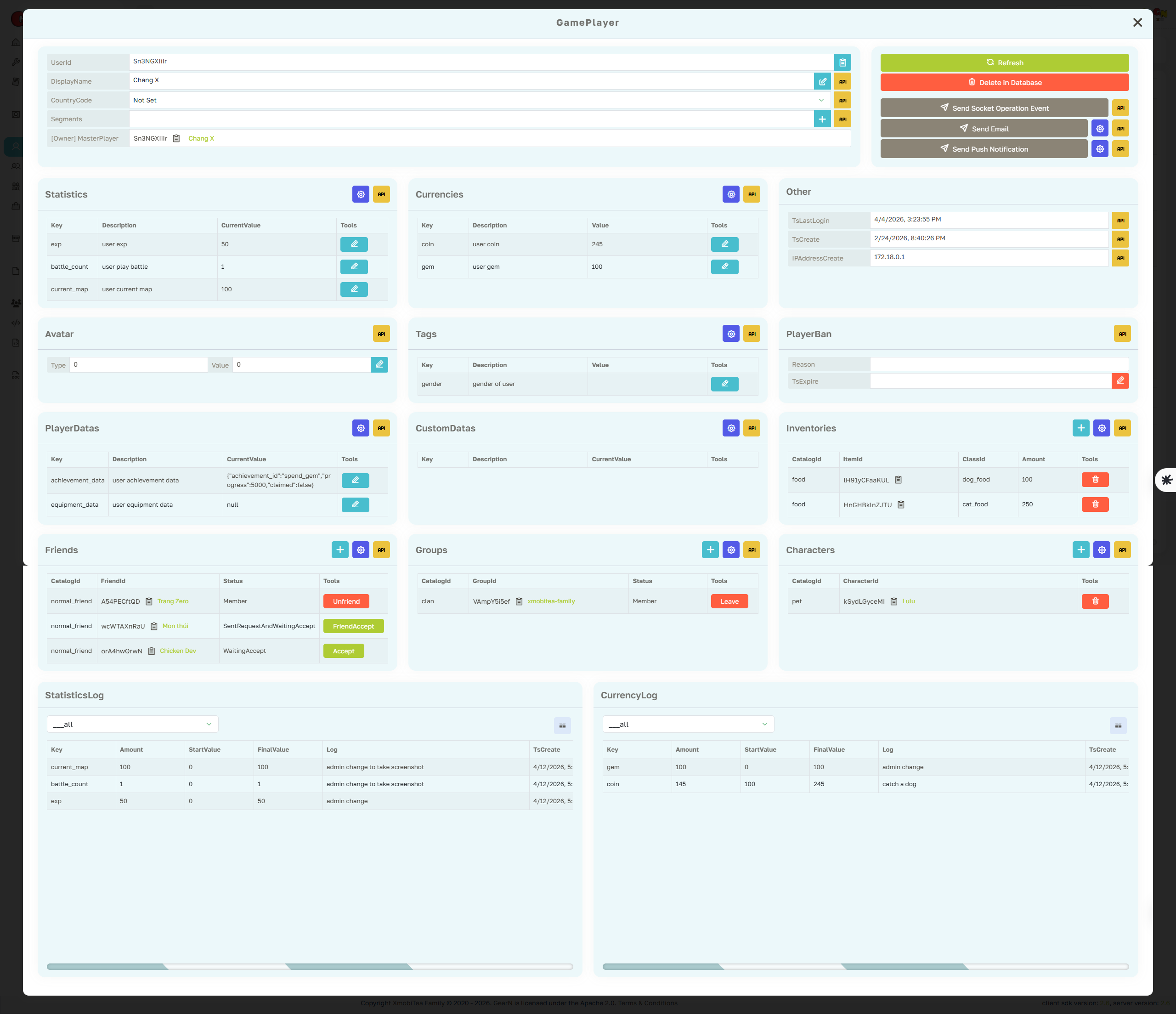
Game Player Profile Page
The Game Player profile page is the main support view for one player inside the selected game. It focuses on game-scoped profile data, currencies, statistics, segments, tags, inventory links, character links, group links, friends, and audit logs.
- Game profile: Review UserId, DisplayName, CountryCode, create time, last login time, ban state, and game-specific profile fields.
- Game data: Inspect and update Statistics, Currencies, PlayerData, CustomData, Avatar, Tags, and Segments for this game player.
- Relations: Check linked characters, inventory items, groups, and friends before acting on player reports.
- Audit: Use Statistics Log and Currency Log to verify the source of manual edits, gameplay changes, and CloudScript updates.
Game Player data belongs to one game. Confirm the selected game and UserId before editing balances, statistics, tags, segments, or ban state.