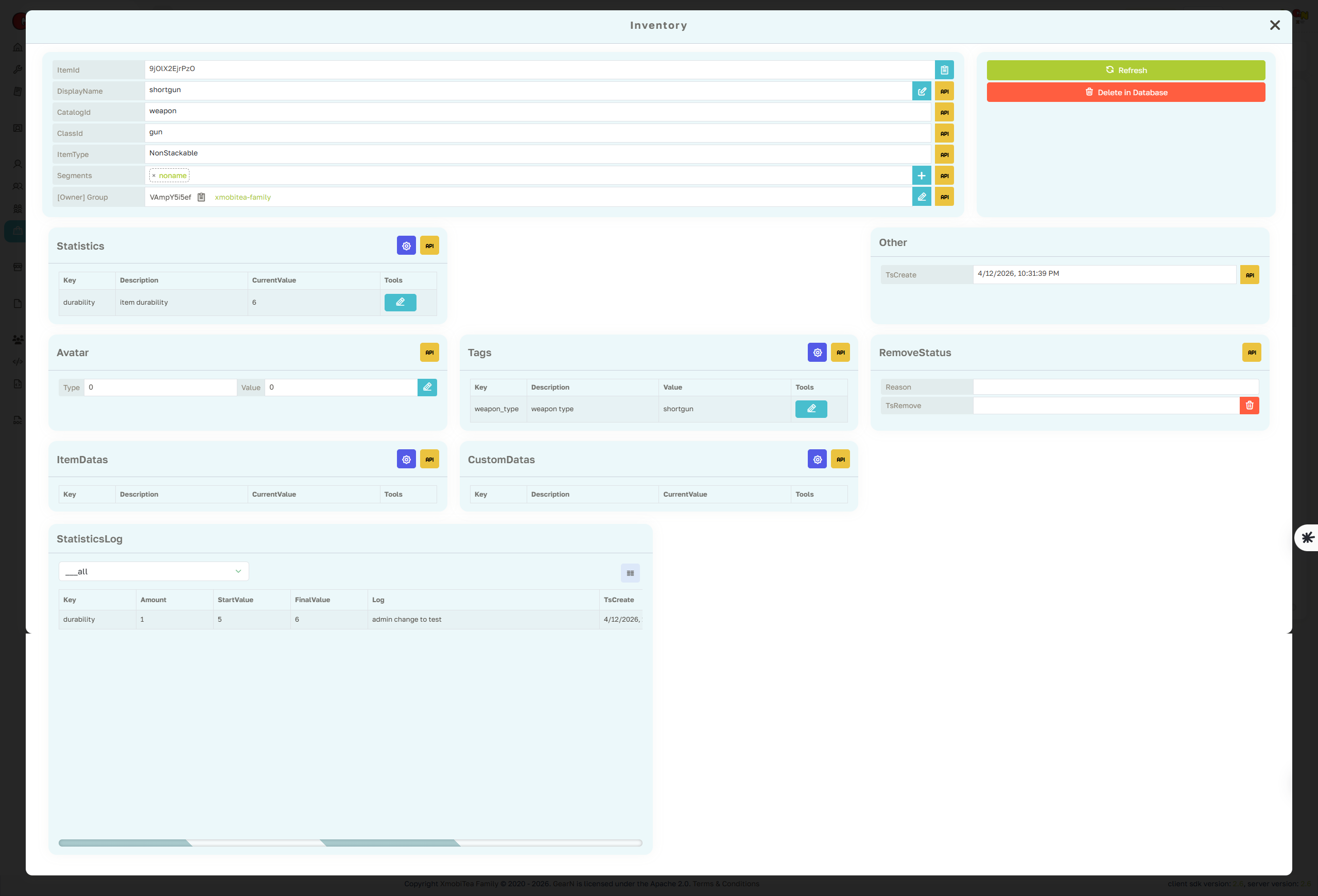
Inventory Profile Page
The Inventory profile page is the main support view for one item inside the selected game. It focuses on itemId-scoped metadata, catalog identity, class identity, item type, owner, amount, remove status, item data, custom data, statistics, tags, segments, and audit logs.
- Item identity: Review ItemId, CatalogId, ClassId, ItemType, DisplayName, Avatar, amount, owner, create time, and remove status.
- Item data: Inspect and update ItemData, CustomData, Statistics, Tags, and Segments for this inventory item.
- Ownership: Check owner type and owner id before transferring an item or investigating missing inventory reports.
- Audit: Use Statistics Log to verify the source of manual edits, gameplay changes, and CloudScript updates.
InventoryApi operates on existing items. Creating new items is handled by GamePlayer, CharacterPlayer, or Group inventory flows, so confirm the source flow before editing item state directly.