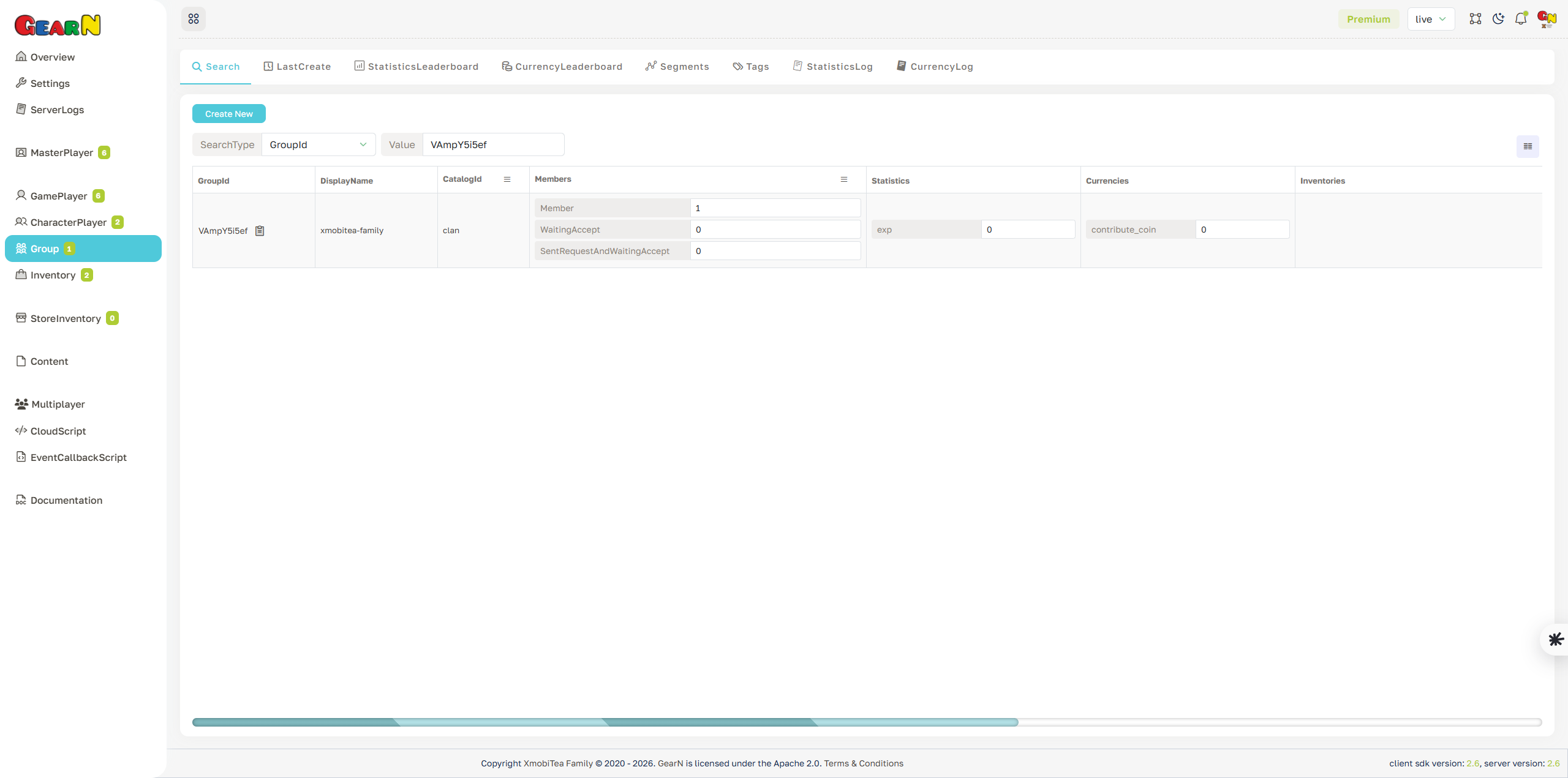
Group Search
Group Search finds group records inside the selected game. It is the usual entry point before opening a group profile for support, moderation, membership review, economy checks, or data inspection.
- Search input: Choose a search type such as GroupId or DisplayName and enter the value to query within the current game.
- Result view: Review matching groups with GroupId, CatalogId, DisplayName, members, statistics, currencies, tags, segments, and timestamps.
- Membership context: Check members before changing group metadata, removing a group, or handling moderation reports.
- Next step: Open the matching GroupId to inspect the full Group profile before changing data.
Search results are scoped by the selected game. GroupId identifies the group record; member ids identify users or players attached to it.