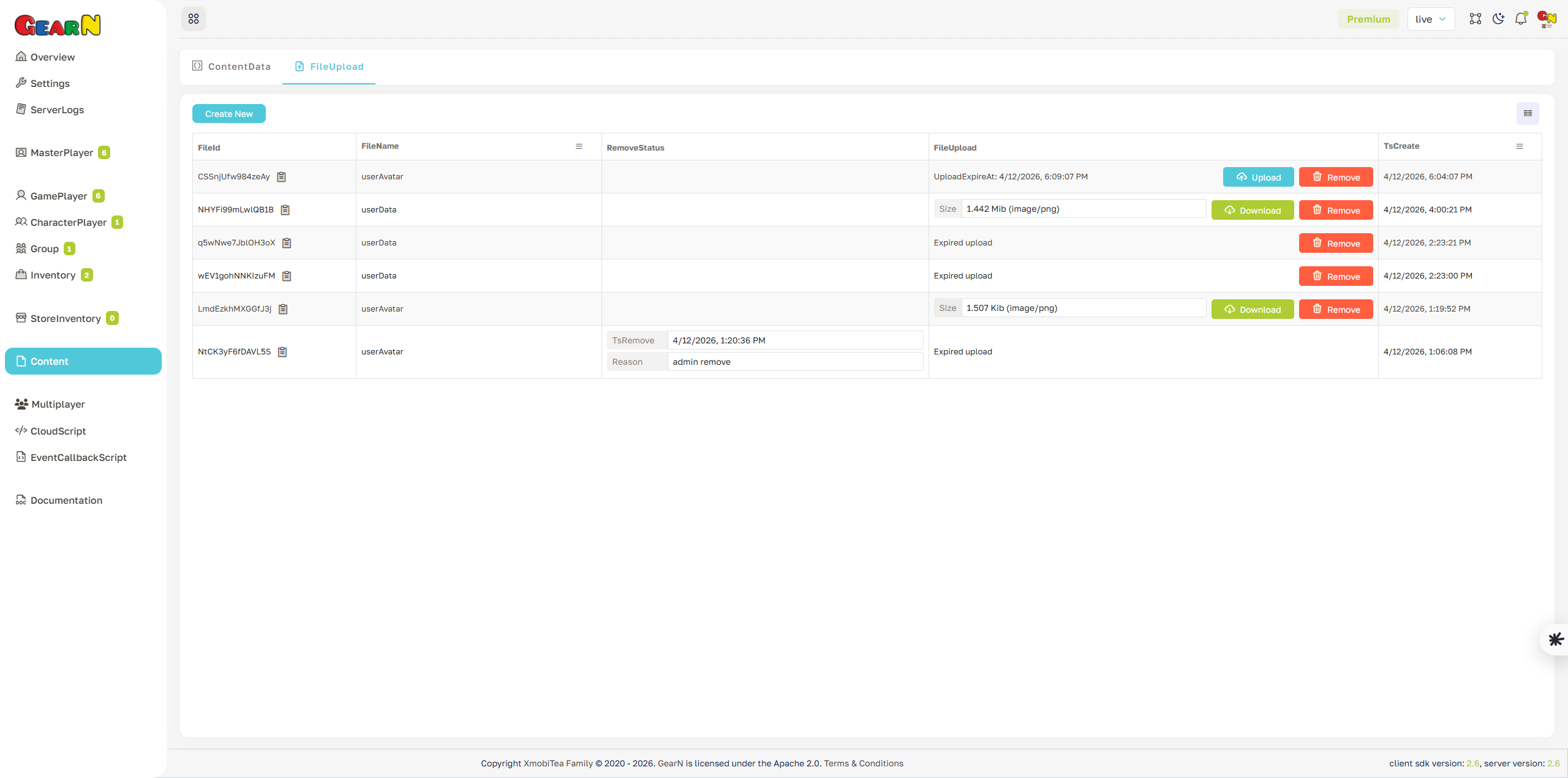
File Upload
File Upload manages uploaded content files for the selected environment. Use it to create upload slots, upload files, download existing files, and remove files that are no longer needed.
- Create file entry: Add a new FileId and FileName before uploading content.
- Upload and download: Upload file content, inspect file size and type, or download existing assets.
- Status tracking: Check expired uploads, remove status, removal reason, and creation time.
- Content delivery: Use uploaded files for assets, remote data, avatars, or other downloadable content.
Remove stale files deliberately. Deleting a file that clients still reference can cause missing content at runtime.